Navigate in DEM
Centreon DEM lets you move across several dimensions: switching modules, changing the selected site, or modifying the time range being analyzed.
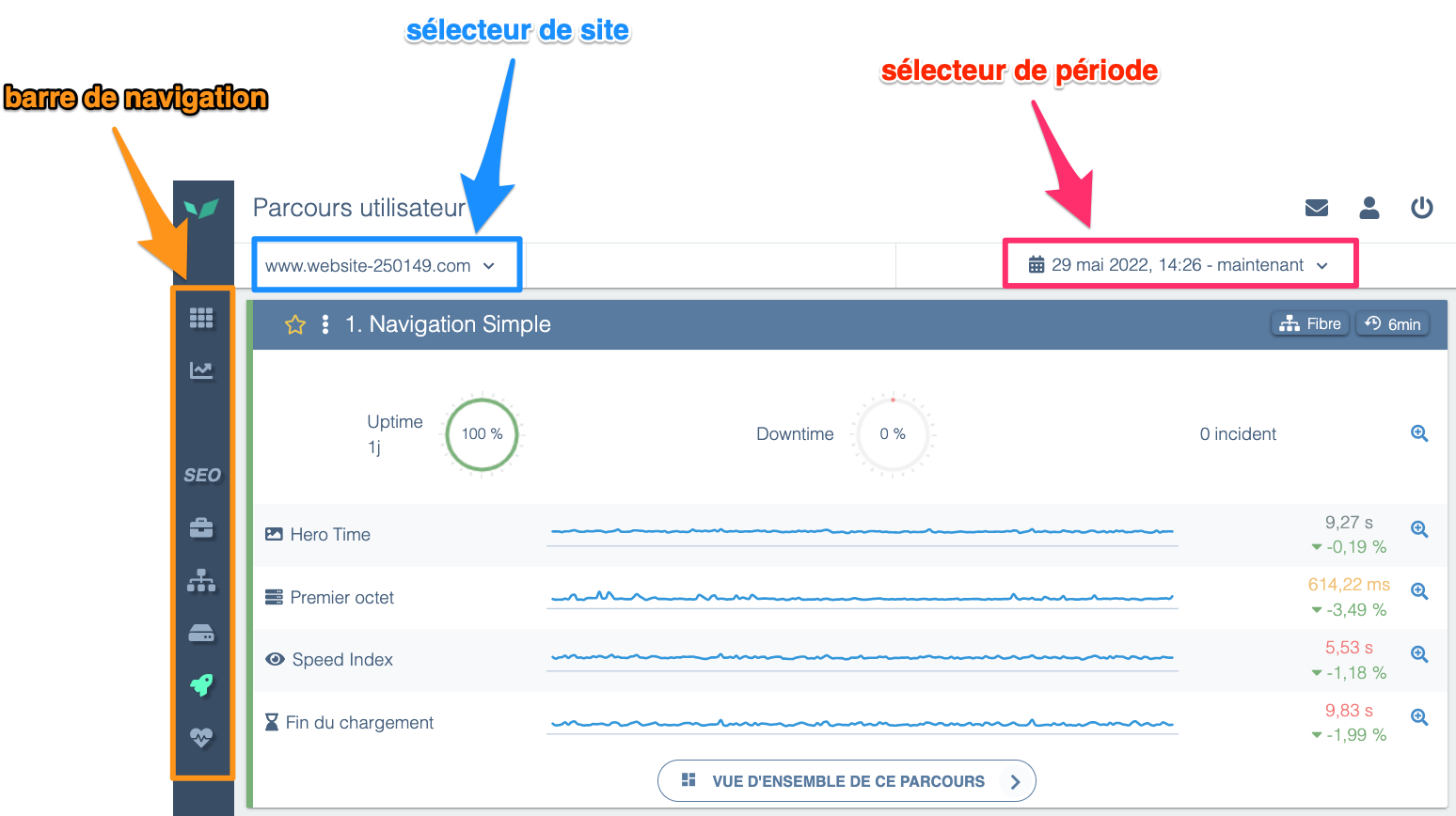
When you first log into DEM you land on the Overview page by default. If you then select User Journeys from the menu, you'll notice this screen includes:
-
the horizontal navigation bar (at the top), which lets you switch between DEM modules (User Journeys, System, Real User Monitoring, etc.)
-
a site selector (top-left) that allows a user with access to multiple sites to switch between them (for example: an Enterprise license or an agency managing multiple clients' DEM accounts).
When using DEM in multi-site mode you can compare performance data across several sites at once or create a custom dashboard that aggregates metrics from multiple sites.
-
a time range selector (top-right) that lets you change the analyzed period at any time. This is useful to observe how a site's response times evolve over days, weeks, or months. By default DEM shows the last 24 hours and refreshes every minute to surface the latest measurements in near real time.