Using Centreon CIAM
What is Centreon CIAM?
Centreon CIAM (Customer Identity and Access Management) is a module that:
- allows you to access all your Centreon applications.
- allows your administrator to manage your organizations, manage all Centreon user accounts and user groups for an organization, and manage the way users will log in to Centreon Log Management.
An organization covers a scope of resources you want to receive logs from. For instance, you may want to have an organization called Europe and an organization called Asia. Organizations are independent from each other. According to your needs, you may have one or several organizations. Each organization has its own applications, including its own Centreon Log Management instance.
I am an administrator
Creating your account
- Go to the URL provided by the Centreon support team, and then click Sign up.
- Enter your email address and password, and then click Continue. The screen prompts you to check your emails.
- In the email you have received, click Confirm my account.
- Click Back to Centreon Customer identity and Access management Web. You can start inviting other users to your organization.
Inviting users into the organization
- Go to Users, and then click Invite user.
- Fill in the email(s).
- Click Invite. They will receive an email with the following subject line: You've been invited to join
<organization>'s Centreon account. Your email address will be visible in this email.
I am a Centreon user
Your administrator has invited you to Centreon CIAM; you have received an email inviting you to the platform.
- In the email, click Accept invitation.
- Enter your password, and then click Continue. The Centreon CIAM site opens.
- In the top right corner of the screen, click the profile icon, and then click Edit profile. You can then fill in your details.
Accessing CLM
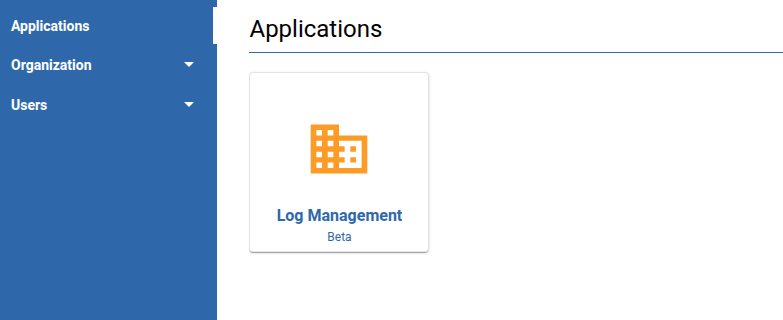
To open CLM, log in to the CIAM. In the Applications page, click the tile you want: